TripGo: an offline travel expense and itinerary app
Plan, log and split in one trip notebook. Log an expense in three taps and any currency converts itself. No sign-up, works offline, and your data stays on your phone.
Available for iPhone (iOS). Free to download.
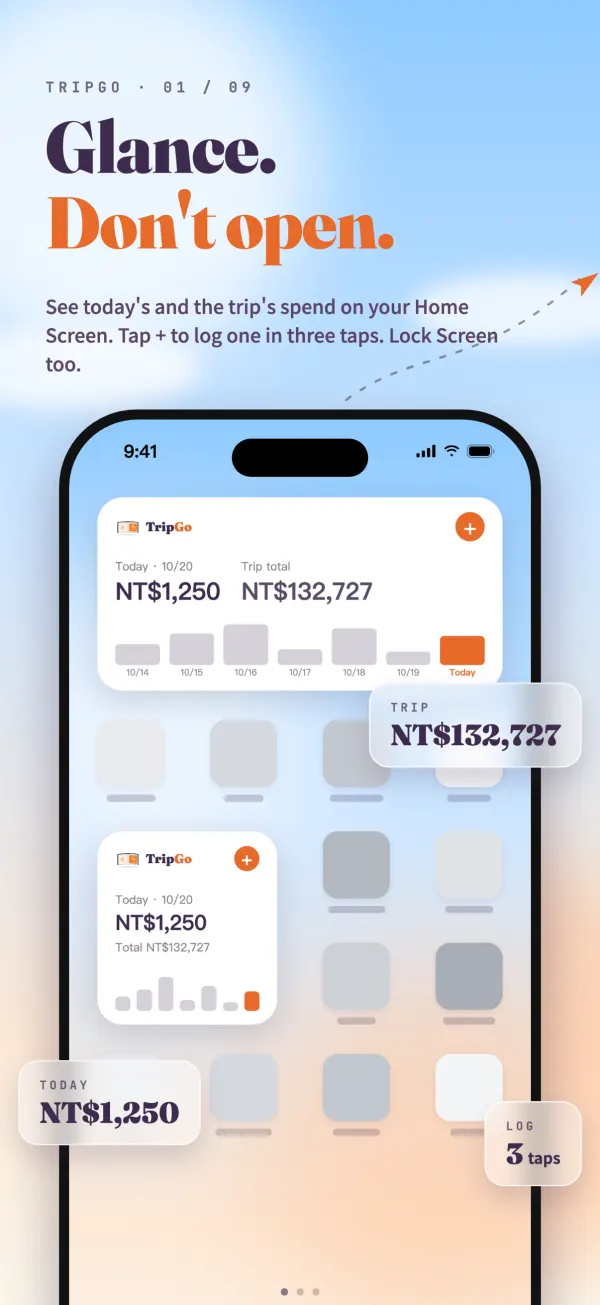
TripGo in 60 seconds
See how TripGo logs, splits and plans a trip in 60 seconds
Highlights
Works offline
Usable the moment you land: log expenses and check the plan with no signal. Trips and spending stay on your phone, with no account and no tracking.
Settle what you fronted
Front the flights, insurance or tickets, then tick who's in. Watch running balances on the road and settle everything in one tap at home.
One day, one page
Next stop, flight, countdown and weather on a single card, plus a boarding pass with legs, seats and departure countdown.
One image for the group chat
Turn a bill, a receipt or a split summary into one image for LINE or any chat. Nobody else needs the app.
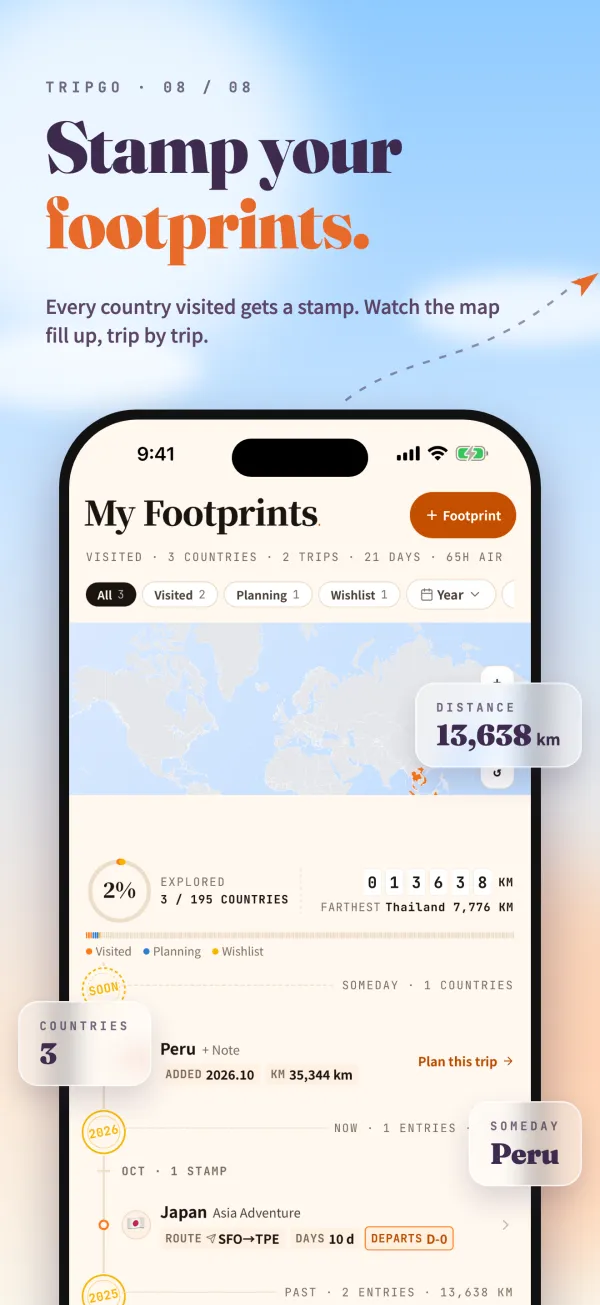
Footprints: a stamp for every country
Finish a trip and the countries you visited light up on the world map, filling it in trip by trip. You can also add countries you went to before. My Footprints lays them out on a timeline by year and month, with your count of countries, trips and days and an approximate distance.
Put the places you haven't been yet on a wishlist, add a note, and start planning the trip when you're ready.
How the web app and TripGo fit together
The TripBoard web app and TripGo are built by the same team. The web app needs no install and is great for sharing trip cards with your group; the iOS app focuses on logging on the road. Both keep your data on your own device, and you can move trips between them with a ZIP backup.
Open the TripBoard web appFAQ
Is TripGo free?
It's free to download, and itineraries and expenses are free. Insights, PDF/Excel export, custom rates and trips beyond your first are Pro: a one-time purchase, no subscription.
Is there an Android version?
Not yet, TripGo is iOS (iPhone) only for now. On Android or a computer, use the TripBoard web app: no install, works offline, and you can add it to your home screen like an app.
I'm a web app Founder. Do I need to buy the app again?
No. The first 100 buyers of web app Pro (Founders) already received an App Store redeem code in their welcome email; just follow the steps in that email to redeem it. Can't find the email? Leave us a message on the Contact page with the email you used to purchase, and we'll resend it.